Showing posts with label web2.0 online course. Show all posts

Friday, 20 December 2013

Final Course Reflection (web2.0 online course)


In this final module, we are asked to consider all the Web 2.0 tools we have learned about during this online course. We are to think of them in the context of Bloom's revised digital taxonomy as well as our own diocese contemporary learning model, in terms of pedagogy, curriculum planning, student learning and educational leadership.

I have found this course to be quite involved, requiring a deeper level of thinking about the potential uses for various web2.0 tools in education. I feel that my appreciation for the use of some of these tools has grown (say using Picasa to curate events, or wikis/GoogleSites to collaborate), whilst for others it has diminished (I see minimal effective use of Facebook or Twitter in the classroom, despite Twitter being useful in maintaining a PLN).

If I consider the iLE@RN model:
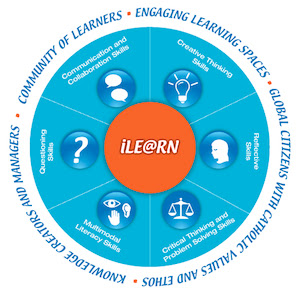

It shows a continuum that is focused on collaboration, creative thinking, reflection, critical-thinking, mathematical and literacy and questioning skills. It sees learners as knowledge creators and managers, who thrive in creative learning spaces. I feel that this constructivist approach where students are involved in the knowledge creation process, will allow for a deeper level of learning than some traditional methods will. Where students are involved in the teaching/learning process in this way, there is a deeper level of commitment/buy in to the process.

Through the use of web2.0 tools, students are able to become involved in this fashion with the learning process. They are able to design and manipulate knowledge and ways of knowing and thus have more ownership over their own learning.

I remember watching an academic at the John Monash Science School observing students conducting experiments during one of my placement's as a pre-service teacher. He was struck by how involved in the process they were, intently focused on what they were doing. This contrasted with how students often perceive the science laboratory. I mentioned simply that the students had ownership over the experiments, as they had designed and chosen them. This begins in the web2.0 classroom as well - and I have witnessed it during this term at my school when my classes were writing to their blogs and had a deep level of focus.

I think this can be developed further through collaboration between classes at a school, or between different schools. Educators need to become more au fait with web2.0 tools and use the strengths of such options - creativity and collaboration and critical-thinking. Web2.0 tools cover the whole gamut of Bloom's Digital Taxonomy, from creating as the highest-order skills, down to remembering. When I reflect on how my students benefited from their blogging experience, in some cases it was the lower-level remembering and understanding, and in other cases it was being able to create content and knowledge and evaluate others' understanding. I would like to further develop how I teach using this, to focus on developing student's ability to critique and question.


Our school is beginning to become more familiar with different web2.0 tools and their use in the classroom, and I think that is an area where we needed to continue to focus, to develop clear goalposts in terms of what we are trying to achieve. Having a student blog for the sake of having a blog might not achieve our educational aims; yet knowing that we can develop student interest and engagement through one, and use it to develop skills of evaluation and collaboration through one might. Being clear about how this is built into the curriculum is also important, as it becomes part of the regular planning/teaching/evaluating process. I would like to think I can help lead my school into effective use of some of these tools as part of our pedagogical model (we have recently develop new non-negotiables in terms of teaching - more to follow!) in the upcoming year, as part of my new role as Curriculum Leader.

Sunday, 1 December 2013

Module 10 (web2.0 online course)

In this module we were required to look at various learning communities and using wikis. I found this topic quite interesting as the use of wikis in education is something that I have been investigating over the last two years. During my graduate diploma of education study I began learning about Wikispaces, an example of a site that hosts wikis. FYI, a wiki is defined as:

a website or database developed collaboratively by a community of users, allowing any user to add and edit content

During that time I developed a wiki with several other pre-service teachers based on a biology unit that we were planning for. At the time I remember feeling that it was a little cumbersome, requiring us to format and re-edit documents to display them correctly and share them through Wikispaces.

Since that time, I have developed more familiarity with both Wikispaces and Google Sites and have found them to offer a number of benefits to my classes. I wanted to use them for my classes for two reasons: firstly as a place to store digital documents for students to readily access, and more importantly, as a place to help students join in a conversation about their learning process, to enable them to see other learning process from their peers, and share feedback and strategies about their learning.

What I have found so far is that Google Sites works more effectively with the students from my school, in comparison with Wikispaces. The difficulties my students found with Wikispaces was that they had to remember another login for another site, and often the school server blocked students from accessing the website. Whilst the first is easily remedied, the second really impacted on the students taking it up. Google Sites on the other hand was more easily taken up by students due to using the same logon details as their school email, which is already required for all their subjects. I also found that the layout presented by Google Sites was more user friendly, and a more simple interface.

As I have used these websites, my awareness of what they can be used for has developed. Initially I thought they would serve to outline the 'course' and subject materials; which is such a small application. Since I have been using them regularly, I have seen their potential in getting students to complete groupwork collaboratively, in a way that I can observe each students contributions. I have also been able to blog to the class discussing why we are studying certain things in class, presenting students with feedback and discussing class survey results. I feel that they can help my students to see that I can meet their needs outside of the classroom.

I feel that I am able to more easily see more of my students achieving/satisfying requirements of a course through their interactions with a wiki. Several of my students have provided feedback, saying that they enjoy using the websites, but would prefer to use them every class or not at all. I think they find it difficult to add another literacy (digital/use of wiki) when they might already be struggling. Some of them would prefer to use a wiki in place of a notebook, recording their class notes etc. Some of the year 10 science research projects really worked heavily on developing their group page, seeing it as part of their overall project assessment.

Overall I think that I will continue to use a form of wikis in my classroom, and expect that my usage of them will develop with my teaching. I look forward to helping students see different ways of learning, through what they share with their peers. I look forward to establishing a sense of collaboration in my students. I look forward to developing their digital literacy as well.

How do you use wikis in your classroom?

Monday, 25 November 2013

Module 9 (web2.0 online course)

In this module, we are asked to explore social networking sites including scootle (educators online community, Australia based), Twitter, LinkedIn and Facebook. The module also reviews what social networking is, in case we had forgotten!

There are some interesting social media statistics out there...

I think that social networking might offer some benefits in the classroom, although given that teachers need to maintain a professional boundary with students, social networking tools are of more benefit to a teacher connecting with other teachers. Establishing an online presence can serve to connect teachers to a large professional network that operates 24/7 around the globe. Beginning teachers can seek advice from expert teachers, and there is a sense of not being so alone knowing that many other teachers are blogging about the idiosyncrasies,  the particular demands of, and ways to develop teaching.

One of the problems I see in networking and social media sites, is that as 'new media' voices can be echoed and teachers can begin feeling as though everyone feels the same way, even though only a small minority of people are joined to that conversation. This bias is something that needs careful scrutiny - how many teachers at your school are actually connected to Facebook, LinkedIn or Twitter? Probably less than you might think.

Our school has a mix of staff on any of these social networking sites. A majority use Facebook, but not for teaching purposes. Some are on LinkedIn, as a form of online/digital CV, whilst very few are on Twitter.


I find Twitter a great network for teachers, particularly with conversations such as #edchat and #tmmelb being some useful ones close to home that I follow. The ability to have these ongoing conversations with other education professionals is something that I have found beneficial as a beginning teacher. I also particularly enjoy being able to find teachers' blogs and reading about their experiences and opinions.

Overall I think the benefit of social media in the classroom, at this stage, belongs to empowered teachers being able to connect and share ideas, support and stories.


Tuesday, 19 November 2013

Module 7 (web2.0 online course)

In this module we are introduced to the tools delicious and diigo, tools to help share, manage and collate online content. I have started using delicious for some of my cycling related websites (being an avid bike fanatic) and have found it quite useful to tag different bookmarks. I think that this particular topic does not lend itself to immediate reflection (what does?) and I will surely begin to appreciate it more deeply as I build up all my regular websites and new areas of interest and begin to catalogue them using these tools. It looks like they would benefit online communities of teachers- PLNs where teachers with a similar method or topics could easily and effectively share resources. I found one of the interesting features of delicious to be that it could synchronise with twitter to build a feed based on your interests (although this kind of feedback cycle is not always useful imho). I already use twitter as a professional networking tool, so am hopeful to see some good material come into my delicious feed (not so many just yet...).

Wednesday, 6 November 2013

Module 6 (web2.0 online course)

In this module we asked to explore using Picasa to share photos/images. Initially I uploaded photos using Google's Photo app - before trying the Picasa app. Honestly, although I found that Picasa has more options, the Photos app as part of the Google suite of tools was much easier and straightforward, not requiring me to install anything else.


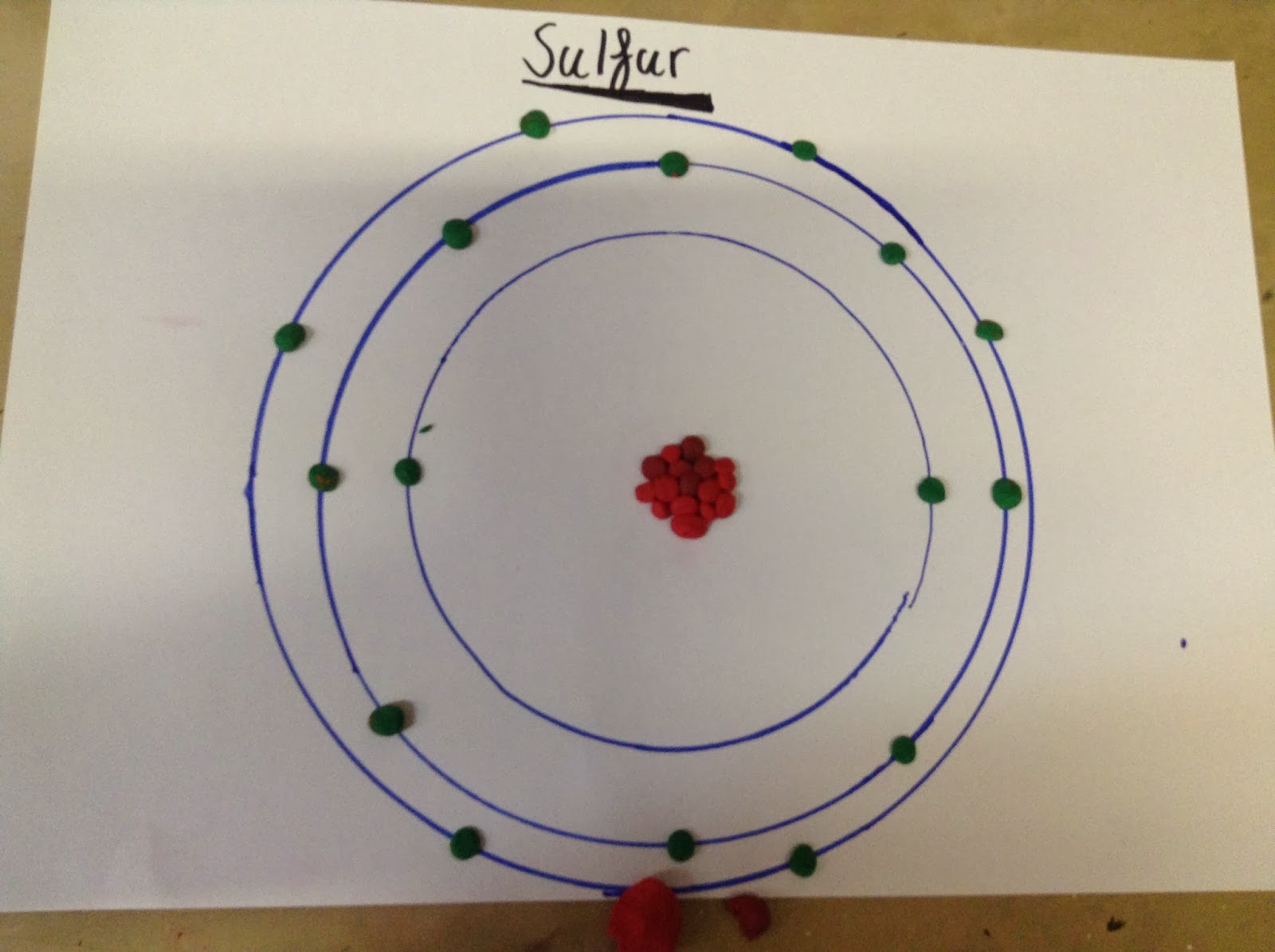
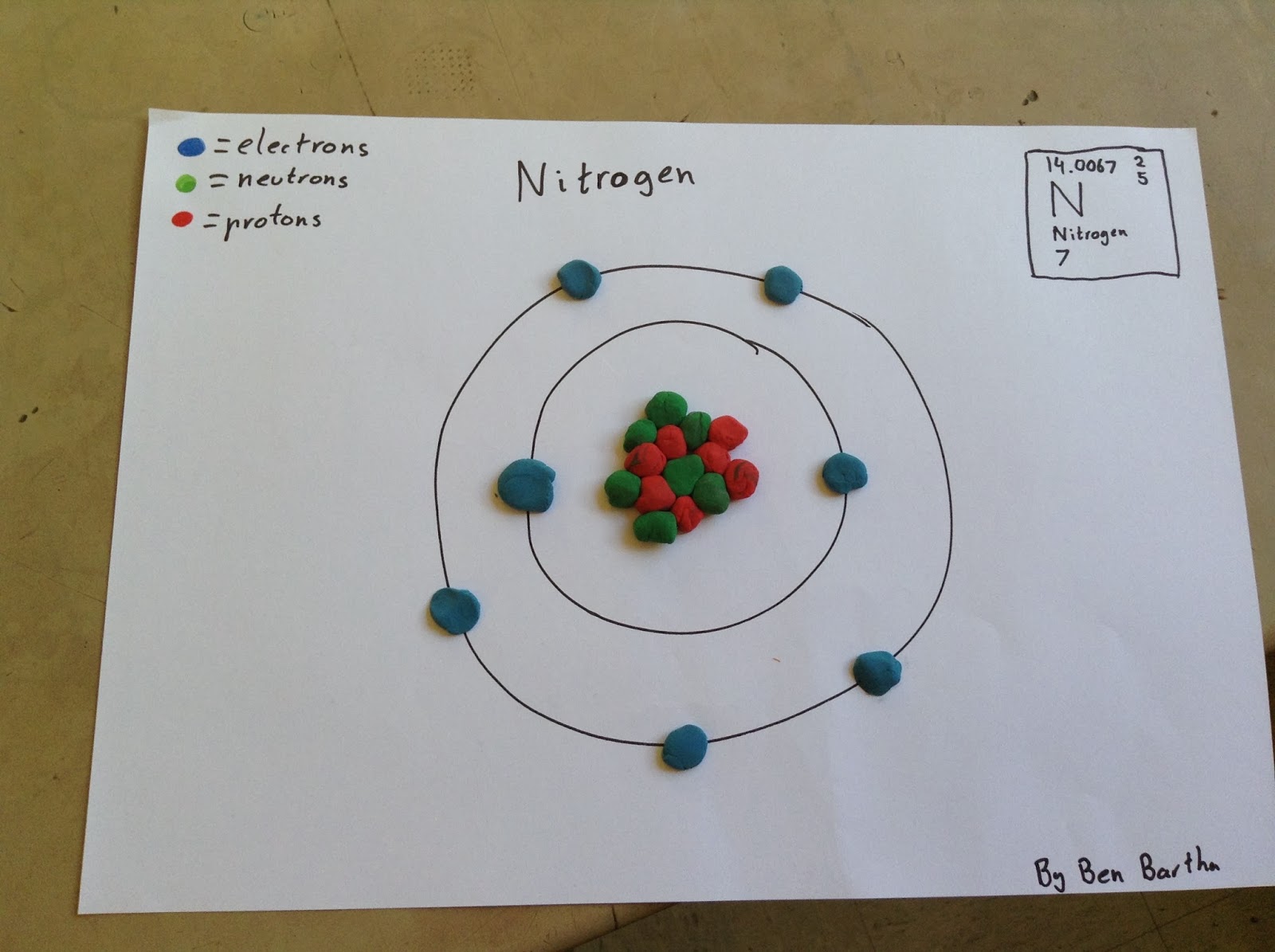
Having the photos online allows me to visually reflect on a learning activity from a class - in the particular example I uploaded for this module, I am able to see examples of student conceptions regarding the model of the atom. It allows me to work out what I could change for next time. For this particular activity I was happy with what my students developed in small teams - it accurately reflected the model I wanted them to understand.

More powerfully, publishing online allows a user to share photos with a colleague and allows for external contributions, rather than leaving things in just the one classroom/professional learning team.

Saturday, 19 October 2013

Module 5 (web2.0 online course)

What good are web 2.0 tools?

In module five we reflect on our current understanding of web 2.0 and the tools that may be used in this domain. Through the bubbl.us website, we are asked to create a concept map of web 2.0 tools and export it to include in this blog post.


I found the process of creating a concept map to allow me to more effectively reflect about what I thought was powerful from web 2.0 tools. In creating the different strands of my map, I decided that I thought the two most important elements of the web 2.0 environment are creating content and collaboration.

Through publishing tools, we can create vodcasts and podcasts to engage students, and compete effectively with other sources that clamour for their attention. We can create blogs and wikis that serve not only to house teaching and learning resources, but also to be a place where they are reflected upon. This reflection is the second part - the collaboration. Web 2.0 allows users to develop and refine together, efficiently. Gone are the email chains bouncing back and forth (well, almost) and now we can collaborate quickly in Google+, through wikis, on Twitter. This rapid feedback allows teachers to work with their peers and develop their resources and expertise. These tools allow for professional networking in real time, outside of school.

I think that gradually web 2.0 tools will replace existing professional development; it is free and accessible. I do not think this will occur rapidly, indeed, the majority of my colleagues do not have a professional online presence as yet, and there is an incongruence between those that do use online networking, and those that do not know it exists. There is also the problem that networks such as Twitter can easily end up as an echo chamber for the loudest voices. Yet, I do not think this is solely due to it being online, I feel sure there is historical precedent for certain people having voices which are heard when there are others which are not.

Tuesday, 15 October 2013

Module 4 (web2.0 online course)

Module 4 of the web2.0 online course required us to investigate podcasting and vodcasting as elements of digital storytelling. Feeling like a digital native, I had already investigated both of these tools prior to engaging with them through the course. I remember creating a video for some of my students last year, more as a proof of concept that vodcasting could work.


I enjoyed the process - and feel that there is room for the use of such resources, particularly because they can engage and audience readily, especially an audience accustomed to rich online content. Younger generations are used to dedicating attention to things that stimulate it, and all too easily, a classroom can become a place where a students attention is lost by the teacher. Commanding a student to focus, to dedicate their attention, is not going to easily undo the countless hours of training they subject their attention to through digital media in and outside of school.

However, creating rich, engaging, and more importantly, effective (in an educational context) digital media, when a teacher is often time poor, seems to be the typical catch-22. As a committee member of the Early Careers Chemistry Network, I have been involved in producing some digital resources for chemistry teachers, videos of demonstrations, that seek to be rich, engaging and effective as learning resources. And they take a lot of time! Given the scope of what chemistry courses at VCE level cover, there is no effective way to provide quality digital content of the course when teaching is my day job.

Any suggestions?


Saturday, 28 September 2013

Module 3 (web2.0 online course)

For Module 3 of the web2.0 online course we were required to start using Google Drive/Docs - again, as with the previous two modules, these are tools that I commonly use with my colleagues, for sharing professional documentation, as well as with students, as part of the teaching and learning process. Indeed this semester I set up a new subject with another colleague, called Future Energies and Sustainability (FES) and we have been using Google Sites as the base for students to gather resources, interact and blog their own learning process. In addition, I use Google+ hangouts as part of the Early Chemistry Careers Network, where we use it as an online message board to collaboratively plan our professional development events and share ideas for resources for teachers of chemistry.


                                   Here is an example of the work we share


So far I have used Google Drive to share spreadsheets for planning with colleagues; collected marks and assessment feedback into a spreadsheet; set up numerous surveys for staff or students; created quizes for students and written and shared various working documents.

I find it for the most part extremely user friendly. The ability to run surveys easily and collate the results is very useful. I have used it throughout this year to gain feedback from students about how particular units were run and to see what they thought I could improve.

I have tried running Flubaroo on multiple choice test results and was able to grade the test without having to mark every single paper, which was a pleasant time saver.

 I think the biggest benefit comes from having instant collaboration with colleagues. I look forward to further development from Google!


Friday, 27 September 2013

Module 2 (web2.0 online course)

Well without further delay, here is the second post for the web2.0 online course. I had completed both of these modules back in July, just after signing up for the web2.0 online course, but had not been able to blog them without our school allowing us to use most of the associated google functions.

In this module, the focus was on setting up this blog, finding other blogs and then familiarising oneself with twitter. I am glad that I was finally able to set up this blog so that I can continue on with the course. I have been a long time reader of various blogs, but my experience with either running one myself, or participating actively in many, is limited.

During the Dip. Ed. course at Monash, I had the chance to use wikispaces to set up a wiki for use in the biology classroom. I have continued using wikispaces in my teaching, as part of my chemistry courses in senior school, and have mixed feelings about it. Whilst I particularly enjoy curating the contents of a subject course online, and providing students with all the relevant documents, I have found that students find wikispaces frustrating to use. Part of this is probably because they do not use it in all classes, part of it is because it is another password/login combination to remember, part of it is because the number of times the school server has blocked students from accessing it... Imagine if IT came into my classroom and stop students from receiving a hard copy of the notes, or feedback. Uproar would ensue. But not so with the restriction of digital resources. I just get more grey hair!

In using wikispaces with my students I had a severalfold purpose. Firstly was to provide a common place for all their learning resources. Secondly was to allow communication between the class members outside of the classroom. Thirdly was to increase reflective learning practices by my students, and allow them to demonstrate their own learning to others. I really wanted this third purpose to take off, and empower my students through seeing the common mistakes they were making, that others were making, and what successful students were doing. Sadly, I found this generally did not take off. There was always students who couldn't/didn't/wouldn't access the page, and if they did so would not write to any prompt there. I am still reflecting on how to set up a page more successfully to allow some of these good learning behaviours to develop.

Here is an example of the wikispace working somewhat effectively (and providing me with some great feedback!)
In terms of twitter, I have found it to be a great networking tool, but also it is an echo chamber and I find that frustrating. I also find the endless slogans and chanting to take away from the tone of some conversations/debates that I would like to be part of. For me the verdict is still out, I will continue to use it, but it does not supplant actual networking and professional engagement (nor should it!).

Module 1 (web2.0 online course)

Wow - finally here! My school admin settings have meant that I have not been able to set up this blog using the school gmail login. I have set this blog up with a twofold purpose; to complete the online web2.0 course through CEOM, and also to start my own teaching/learning/education blog. Whilst I feel this is a rather protracted start to my blogging - having been teaching now for some 20 months, I do not think that blogging immediately, for the sake of blogging is necessary. This thought may change...?

The purpose of the web2.0 course is to familiarise teachers with web2.0 technology and connect them to wide audience. I already use wikis, google sites, google drive etc, so I think I have less to learn about the uses of such technology, and more to learn about other educators using these tools.

Completing Module 1, I was surprised at how basic some of the activities were; obviously targeted at teachers who are not using the internet daily beyond basic web browsing etc. Having set up wikis whilst doing my Dip. Ed and using them since in my classroom, I feel comfortable using web2.0 tools. My introduction to things such as google+ have also come through professional experience - as a member of the Early Chemistry Careers Network we have used this tool to help collaborate projects to help teacher professional development and resources.

I am hoping that as I continue through the course I will be exposed to other tools, and in particular, examples of how they can be harnessed effectively to improve teaching and learning outcomes. I feel that there are a veritable host of online tools (I have delivered PD on several occasions about several such tools including the Google suite) but knowing what is out there is not always sufficient for teachers to be able to readily incorporate them into their already busy schedules.

I am also hoping to document some of my own professional learning outside of this web2.0 online course, as this is an ongoing struggle - having time to curate the learning is the hardest part!